
AI video upscaler
Blurry in. Crisp 4K out.
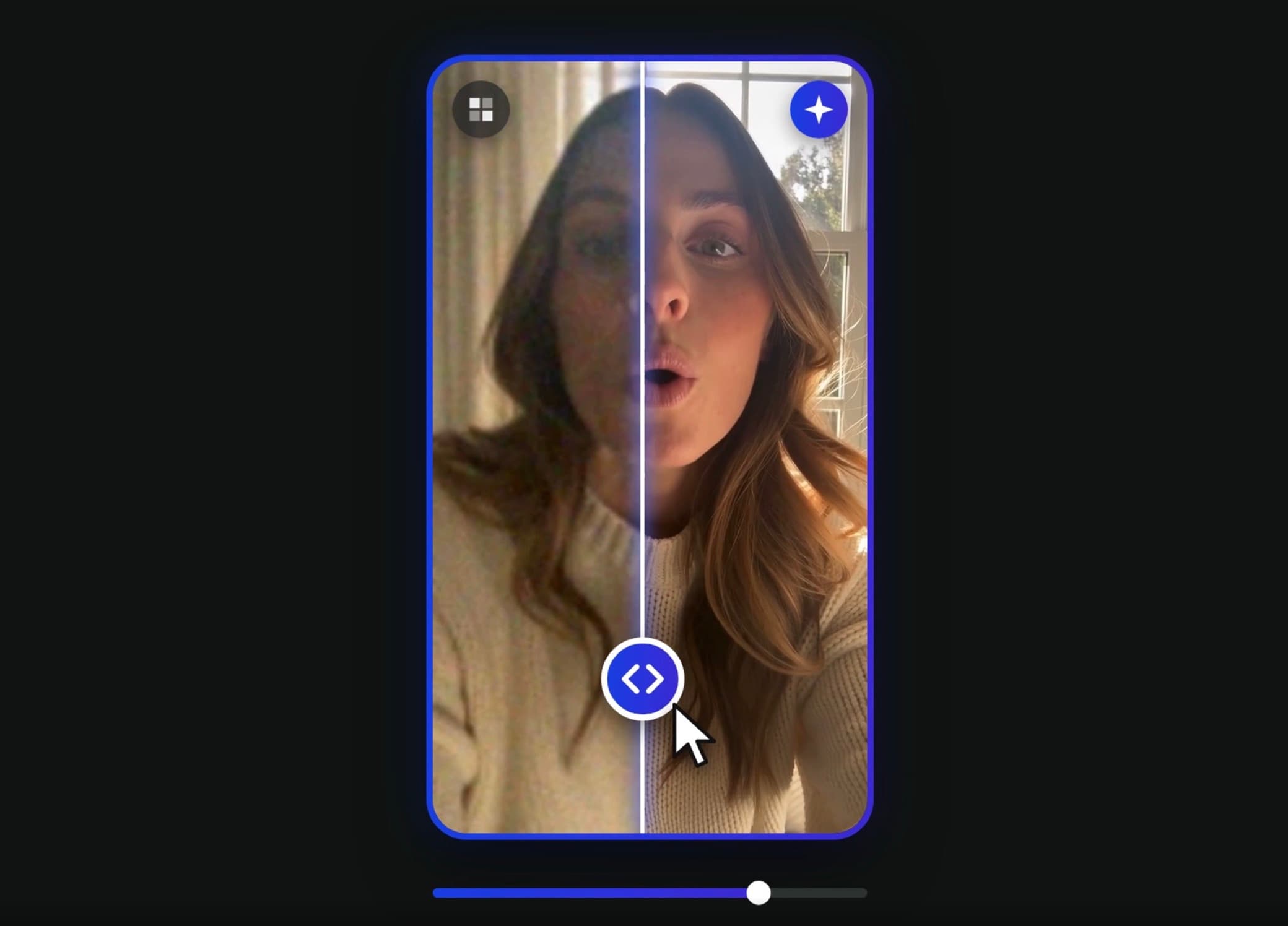
Upscale turns soft, low-resolution or compressed clips into sharp 1080p or 4K video. Faces, hair, skin and text get real detail back, and motion can be smoothed up to 60 fps. Your sound stays exactly as recorded.
What it fixes
Real detail
Rebuilds faces, hair, fabric and text instead of just stretching pixels.
720p, 1080p or 4K
Pick the size you post in. Old phone clips and screen recordings come out crisp.
Smoother motion
Raise the frame rate to 60 fps for silky pans and fast action.
Your sound, untouched
The original audio is laid back without re-encoding, so nothing drifts.
Before and after
Wipe between the original and the result to see every improvement.
No setup
Runs in the cloud. Leave the page and come back when it is done.
How it works
- 1
Upload your video
Add an MP4 or MOV. Longer than 2 minutes? Pick the part you need.
- 2
Pick size and frame rate
Choose 720p, 1080p or 4K and 24, 30 or 60 fps. You see the cost before you start.
- 3
Download the sharp version
Compare before and after with the wipe slider, then download.
Questions
How do I upscale a video to 4K?
Upload your clip, pick 4K and the frame rate you want, and click Generate. The AI upscaler adds real detail to every frame and you get an MP4 with your original sound.
Will upscaling fix a blurry or low-quality video?
It helps a lot with soft focus, compression blocks, noise and low resolution. Faces, hair and text get sharper. Heavy motion blur or footage that is badly out of focus can only be improved, not fully restored.
What does the frame rate do?
It sets how many frames per second the result has. 30 fps is standard for social video. 60 fps creates new in-between frames for smoother motion. 24 fps gives a cinematic feel.
How long can my video be?
Each run upscales up to 2 minutes from an MP4 or MOV of up to 200MB. For longer videos, pick the part you need right after uploading.
Does it change my audio?
No. The original sound is copied back onto the upscaled video without re-encoding, so it stays exactly as recorded and in sync.
How much does it cost?
Upscale is billed in credits per second of video, based on the size and frame rate you pick. You see the exact cost before you generate, and failed runs are refunded automatically.